Four ways running several AI agents goes wrong, and how wdx fixes each
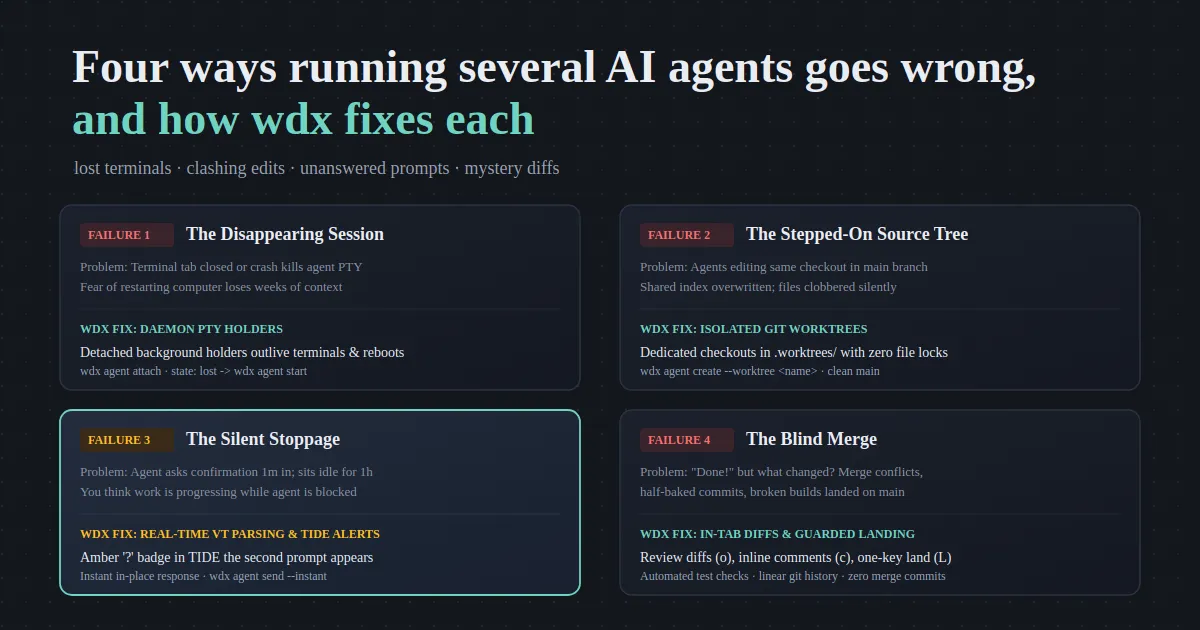
Lost terminal tabs, colliding git checkouts, silently blocked agents waiting on prompts, and mystery diffs. Here is how wdx fixes the four classic multi-agent failure modes.
Lost terminal tabs, colliding git checkouts, silently blocked agents waiting on prompts, and mystery diffs. Here is how wdx fixes the four classic multi-agent failure modes.
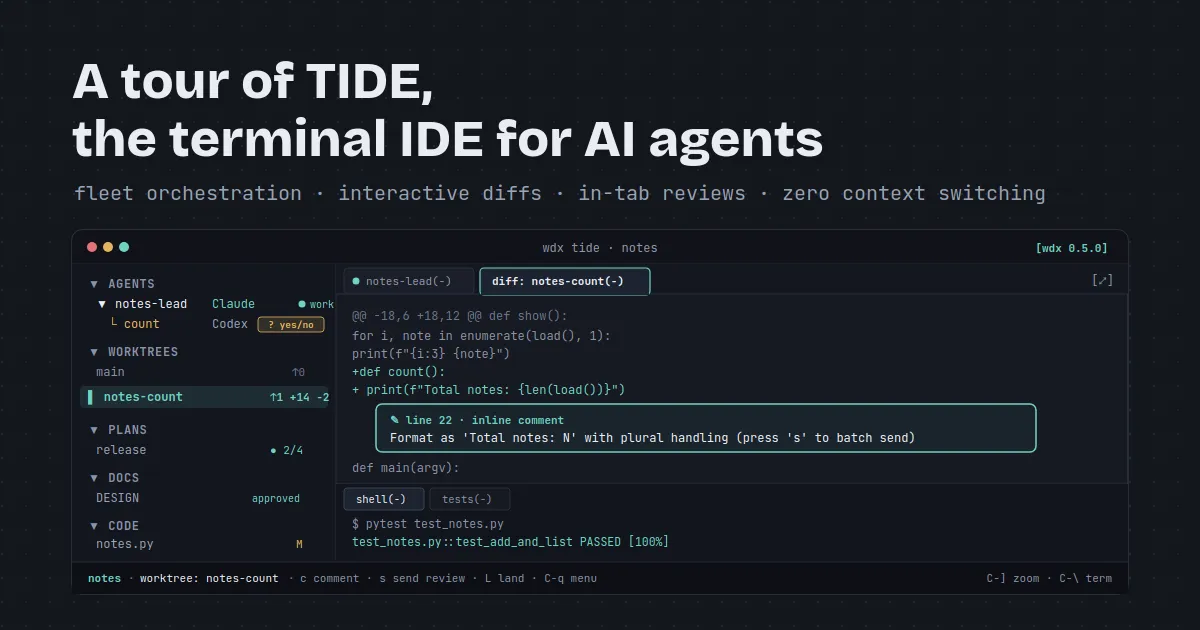
Running multiple AI coding agents from raw terminal tabs quickly turns into a blind juggling act. TIDE pulls your agent fleet, worktree diffs, code, docs, and plans into one terminal window with zero context switching.
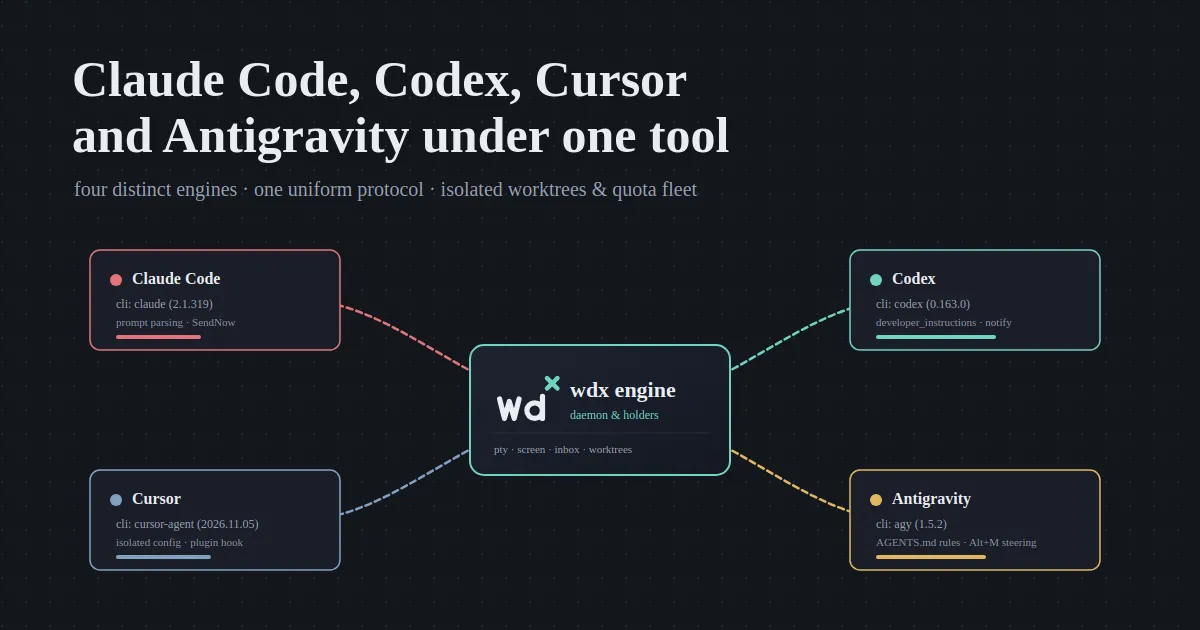
Every AI coding CLI comes with its own terminal quirks, session formats, and permission models. Here is how wdx normalizes Claude Code, Codex, Cursor, and Antigravity into one uniform agent fleet.
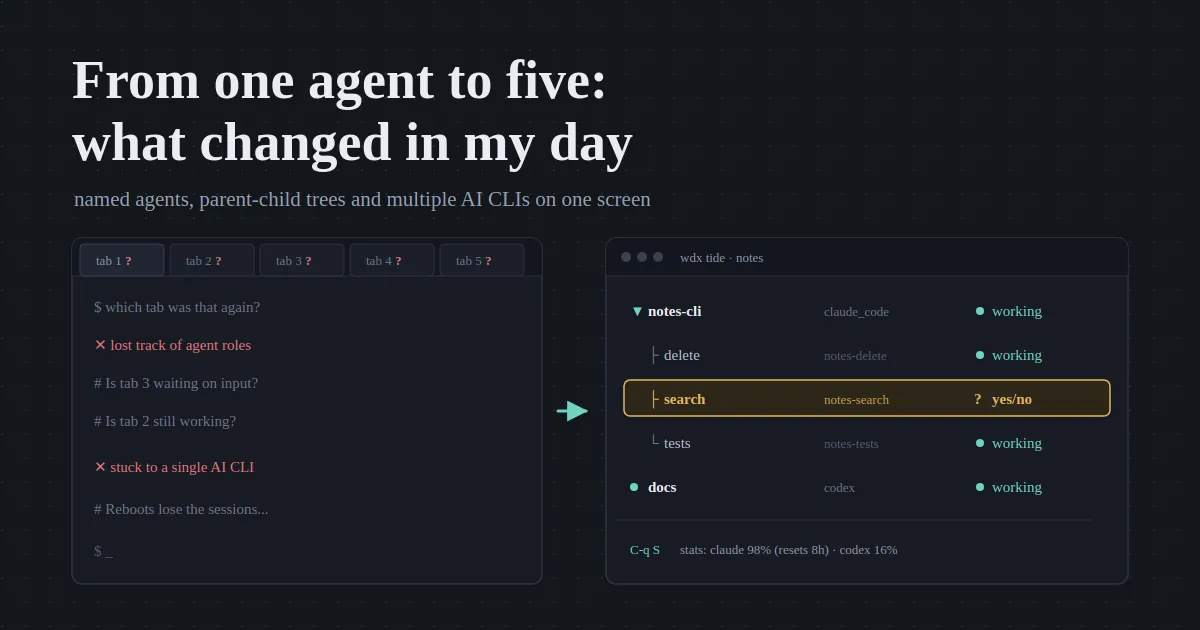
Before wdx: one AI CLI and a row of terminal tabs I lost track of. After: named agents, children under parents, several AI CLIs at once, all on one screen.
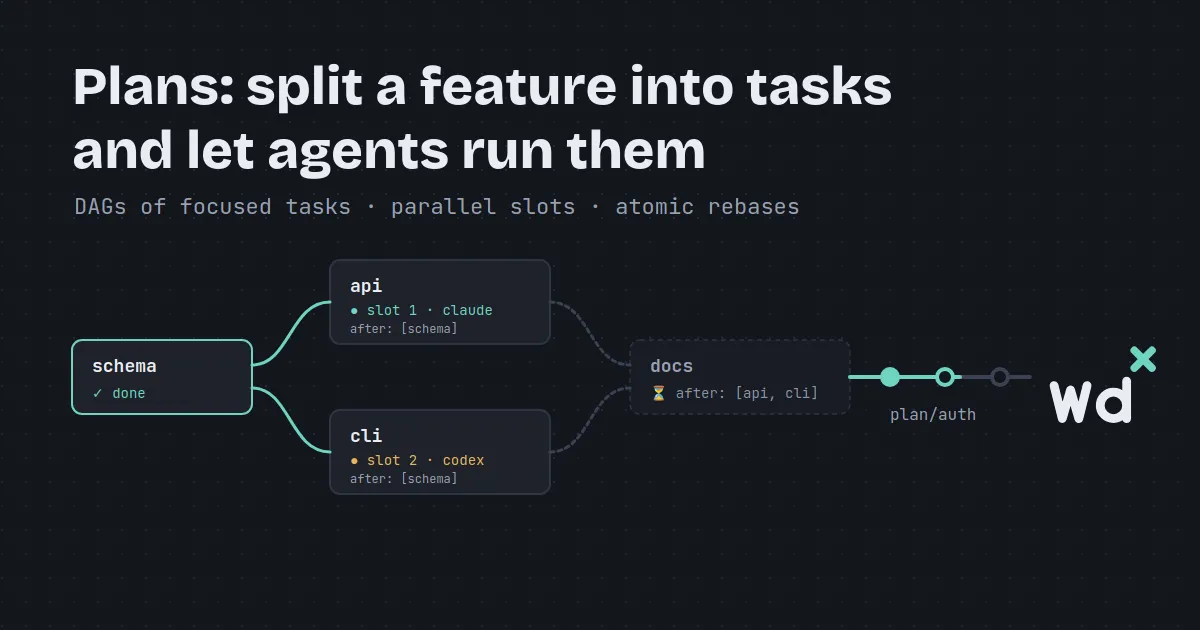
Asking an AI agent to build a multi-file feature in one prompt leads to hallucinations and lost context. wdx breaks it into a DAG of small tasks that agents run in parallel.
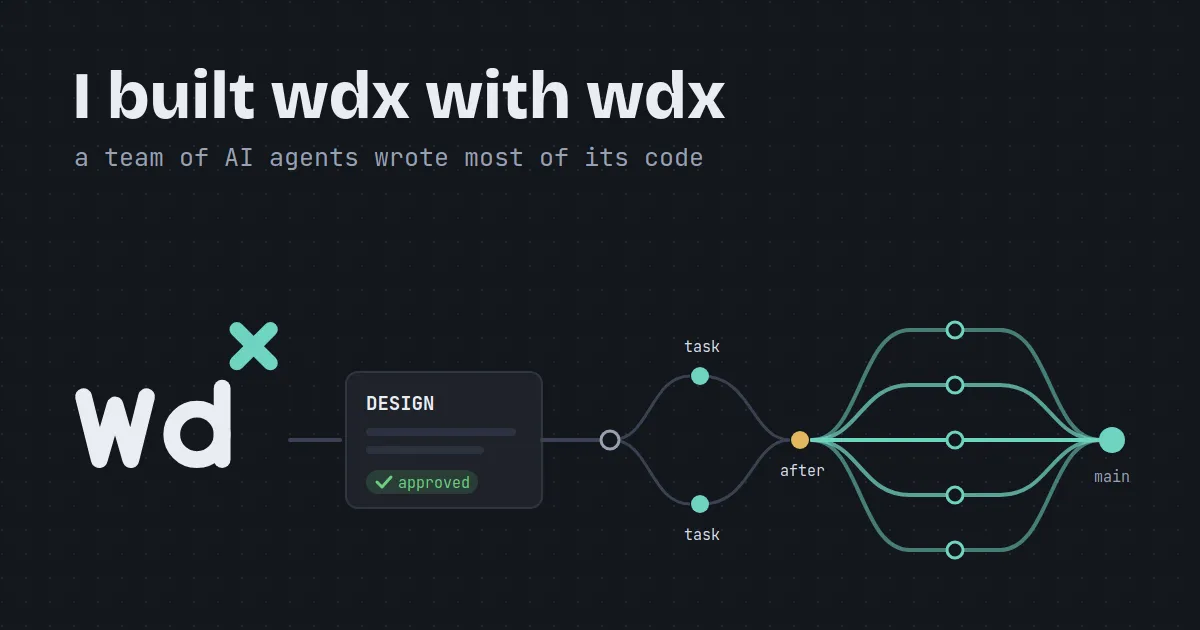
How wdx is developed by the agents it runs: designs approved first, then plans, child agents and worktrees, with a person landing every change.
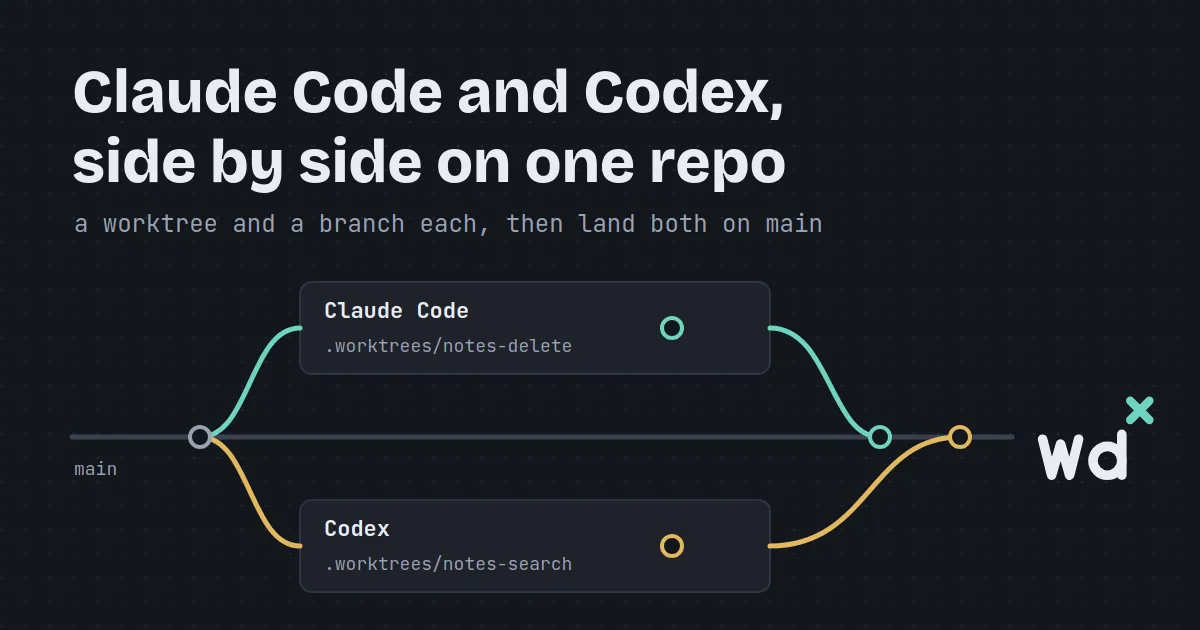
Give each AI CLI a git worktree and a branch of its own, so Claude Code and Codex never edit the same checkout, then review and land each one onto main with no merge commit.
Why a daemon, a CLI and a Terminal IDE for AI coding agents, and what a day with four of them looks like.