Run Claude Code and Codex side by side on one repo, without stepping on each other
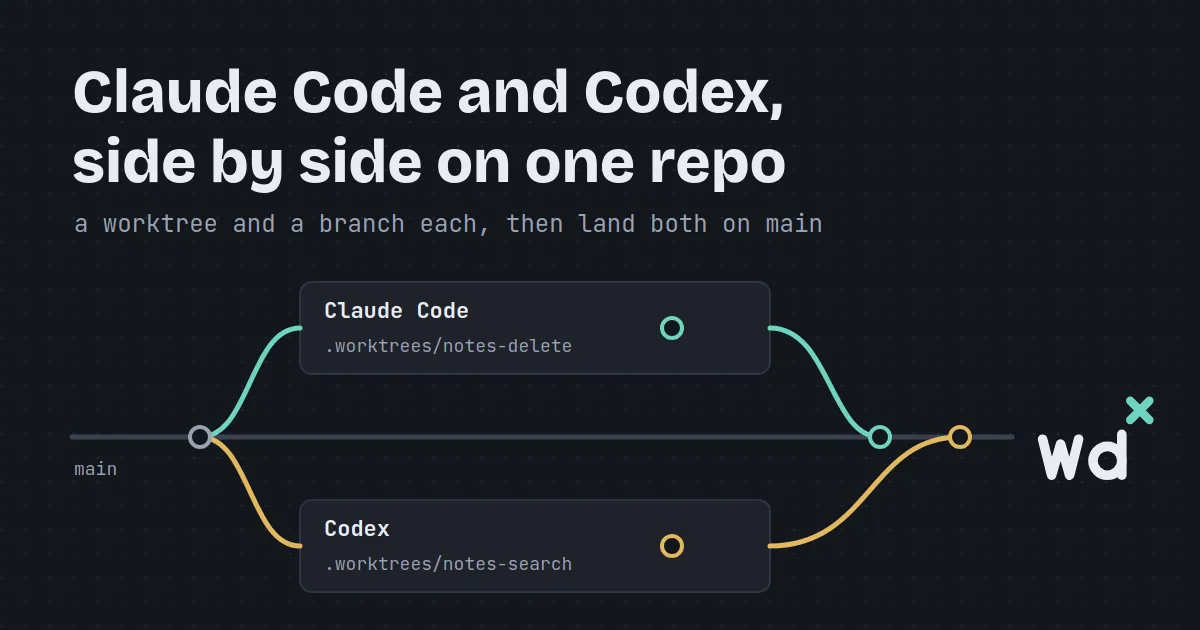
You want Claude Code on the feature and Codex on the tests, both at once. Start them in the same checkout and within minutes one is editing a file the other just changed, git status belongs to neither, and you can’t tell whose half-finished work you’re about to commit.
The fix is old git: one worktree per agent. wdx makes it one flag.
Working with several AI CLIs at once is seamless for me: there are no overwrites, because every agent works in its own worktree, and wdx takes care of orchestrating the agents. They can even talk to each other through wdx’s messages.
This post walks through it on a toy repository, notes, a tiny command-line notebook in Python: Claude Code adds a delete command while Codex adds search, each in a checkout and on a branch of its own, in the same clone. Then both land on main, one after the other.
Why one checkout breaks with two agents
Section titled “Why one checkout breaks with two agents”A checkout is one working tree and one index. Two agents in it share both: every file either one saves is the file the other reads next, and a commit takes whatever is staged, whoever staged it.
A git worktree is a second checkout of the same repository, in a folder of its own, on a branch of its own. The commits are shared, the files are not. The catch has always been the bookkeeping: making them, naming them, remembering which agent is in which, and cleaning them up. That part is what wdx does.
Start each AI CLI in a worktree of its own
Section titled “Start each AI CLI in a worktree of its own”--worktree on wdx agent create starts the agent in a worktree of that name, and --aca picks the AI CLI:
wdx agent create --name notes-delete --worktree notes-delete --aca claude_code \ --prompt "Add a 'delete <n>' command to notes.py that removes note n, with a unittest in a new file test_delete.py, then commit it"wdx agent create --name notes-search --worktree notes-search --aca codex \ --prompt "Add a 'search <text>' command to notes.py that lists the notes containing the text, with a unittest in a new file test_search.py, then commit it"A name that matches no worktree creates one in .worktrees/<name> at the project’s root, on a new branch of that name from the HEAD of where the agent would otherwise start. main always means the clone itself. wdx keeps .worktrees out of git status, and removing an agent leaves its worktree alone, since it may hold work not landed yet.
Both prompts touch the same lines of notes.py on purpose: each command needs its own branch in main() and its own word in the usage line. Hold on to that for the landing.
Watch both from one screen
Section titled “Watch both from one screen”wdx agent list says what each one is doing, which AI CLI it runs, its model and how full its context is:
NAME STATE ACTIVITY MODEL CONTEXT ACA DIRnotes-delete running idle Opus 5.5 43k claude_code /tmp/wdx-demo.idWtDE/notes/.worktrees/notes-deletenotes-search running idle GPT-6-Sol 18k codex /tmp/wdx-demo.idWtDE/notes/.worktrees/notes-searchIn TIDE, wdx tide, the same agents are rows of the left pane, and the Worktrees section under them says how far each worktree is ahead of main (↑1), the lines it adds and removes, and what is not committed yet. Enter on an agent shows its screen on the right.
Let them talk to each other
Section titled “Let them talk to each other”An agent is reached with wdx agent send, from your shell or from another agent:
wdx agent send --name notes-search --prompt "notes-delete changes main() in notes.py too: keep your change there small"wdx keeps the message until it has been typed into the agent’s input box, so one sent while the agent is busy or still loading is not lost, and wdx message list shows those still waiting.
Review each one’s work
Section titled “Review each one’s work”wdx worktree list gives every worktree with how far it is ahead (AHEAD) and how many files are not committed (CHANGED). wdx worktree diff --name notes-delete prints what it committed since it left main, as its pull request would show it, and --uncommitted what it has not committed yet. Both only read, so they run beside whatever git an agent is running.
In TIDE, Enter on a worktree opens its tab, the same diff. There v marks a file as looked at, C asks the agent there to commit what is left, and c writes a comment on a line, which s sends to an agent as one review. Here it is in the site’s demo, which you can click through:
Land them one after the other
Section titled “Land them one after the other”A project says once how it lands. Without that, landing fails with land_not_configured. For notes the check is its tests:
wdx project landing --name notes --check "python3 -m unittest"wdx worktree land --name notes-deletewdx worktree land rebases the worktree if main has moved on since it branched, runs the check in a terminal named land-<worktree>, which stays open if the check fails, and then fast-forwards main to the commit it checked. No merge commit. On any failure, main stays where it was. It refuses a worktree with files not committed (not_committed) or with an agent still working in it (agent_working).
If you’d rather review on GitHub, --method pr runs the check, pushes the branch and opens a pull request with gh instead.
When both touched the same lines
Section titled “When both touched the same lines”“Without stepping on each other” means no agent overwrites another’s work while they work. Landing is another matter: both changed main() in notes.py, and once notes-delete has landed, main has moved on under notes-search.
So landing notes-search rebases it onto the new main, and git stops on the conflict. wdx undoes the rebase at once, so the worktree and main are just as they were, and says what happened:
$ wdx worktree land --name notes-searchwdx: rebase onto main stopped on a conflict in notes.py [rebase_failed] hint: nothing changed; ask an agent to rebase with wdx agent send, then land againIn TIDE, the worktree’s row says conflict, and a landing that fails while TIDE is open says notes-search: rebase stopped on a conflict in 1 file, undone: L asks an agent. L in the worktree’s tab then opens a box to an agent, the one in that worktree first, with the request already written: Rebase notes-search onto main in <its path>, resolving the conflicts. Enter sends it. Codex rebases and keeps both commands, and you can watch the conflict get resolved in the tab. The row still says conflict until the next landing: L again runs the check, lands it, and TIDE offers to remove the worktree.
From the CLI, wdx worktree rebase --name notes-search runs the rebase on its own and reports the same conflict, but it sends nothing to any agent: that is what wdx agent send is for, then land again.
Clean up
Section titled “Clean up”wdx worktree remove --name notes-delete removes a worktree only when nothing is ahead of main and nothing is uncommitted, so no commit can be lost. It deletes the branch too when git says it is merged, and tells any agent still running there where to go on. In TIDE, C-q x on a worktree that landed does the same, and landing offers it straight away.
Try it
Section titled “Try it”wdx runs on Linux and macOS, with the AI CLIs you already have installed.
-
Install wdx and open a project:
Terminal curl -fsSL https://raw.githubusercontent.com/srjn45/wdx/main/scripts/install.sh | shwdx project open --local ~/code/api -
Start two AI CLIs, each in a worktree of its own:
Terminal wdx agent create --name feature --worktree feature --aca claude_code --prompt "..."wdx agent create --name tests --worktree tests --aca codex --prompt "..." -
Watch them, review and land each one:
Terminal wdx tide
More in Worktrees and landing, Worktrees in TIDE, and the pages on Claude Code and Codex. The code is on GitHub.