Yours
Every approval, every review, and when to land the code.
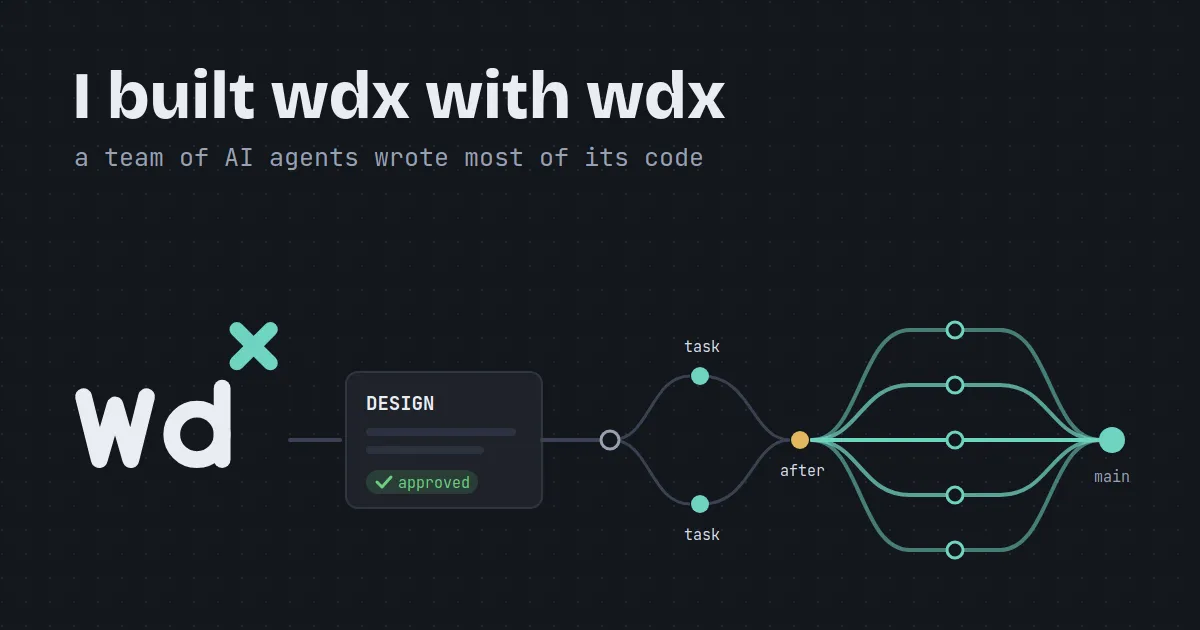
In 16 days wdx went from its first commit to v0.5.0: 703 commits and about 185,000 lines of Go, generated code left out. All of that code was written by AI agents, run by wdx itself. I did the planning and the design, with in-depth analysis and brainstorming, and every approval.
This is how that works, and why it is not magic. You keep using your favourite AI CLI the way you did before. What wdx adds is an orchestration layer: one screen to run and keep track of many agents, and plans that carry pre-planned work on, step after step, until something needs a person.
wdx is the next-generation warden, an agent tool I had built before; the logo writes it wdˣ, with the x as an exponent. The x has a second meaning. wdx dropped tmux and built its own detached terminals, which keep running when you close the window and let you attach again as tmux does. The screen of each one is kept by x/vt, which I forked to add fixes, patches and features of our own on top.
So there were no big surprises. I had built something like it, and over time I had learned what is actually needed and how to build it. warden’s story gets a post of its own later in this series.
Until wdx had attach, I built it with a single Claude Code agent. Only one, so I would not lose focus or get confused by switching contexts. The early development was slow, but very well thought out.
Once agents could be attached, I started using that a little. Once attach was complete, I moved to TIDE, the Terminal IDE, because that is what gives the full benefit of wdx: many agents, all visible on one screen and easy to keep track of. TIDE is where I work now, and I never leave it.
Building wdx with wdx also gave me continuous feedback: every feature was tested in real work, and the pain points and the improvements showed up in my own day.
| Release | Date | Commits | Go lines (of which tests) | Go lines added |
|---|---|---|---|---|
| v0.1.0 | 28 Oct | 32 | 11,064 (4,781) | 11,012 |
| v0.2.0 | 1 Nov | 185 | 50,104 (23,032) | 41,208 |
| v0.3.0 | 3 Nov | 76 | 85,421 (38,232) | 36,124 |
| v0.4.0 | 7 Nov | 190 | 129,069 (59,095) | 45,919 |
| v0.5.0 | 11 Nov | 220 | 185,168 (86,398) | 63,019 |
The first rule of the workflow in wdx’s AGENTS.md, the file every agent working on it reads, is: Never start coding until the human explicitly says so. Design comes first, worked out with an agent: the structure, the tables, the commands, the names, the edge cases.
That design is a wdx doc: kept in wdx rather than in the repository, with a revision per change and a status, wip, then review, then approved. Every agent reads the same doc the moment it changes, whatever branch it is on. wdx itself has 77 of them today: 34 approved, 12 in review and 31 still wip.
Once a design is final, I ask an agent to turn it into a plan: the work split into tasks, each with the tasks it waits for (after:). Then I let the plan run, and check on it now and then. Sometimes a plan runs for hours without needing me.
Running a plan makes a branch for it, plan/<name>, and starts an agent for every task that is ready, each in a worktree of its own, up to plan.parallel at once (3 by default). When a task is done, wdx lands its work on the plan’s branch, after the project’s landing check, and starts what waited for it. A task that fails waits for me; the rest goes on. When every task is done, one worktree is left on the plan’s branch, and landing it is my call.
Here is the same thing on a toy project, with real Claude Code agents: three tasks, two at once and one after both.
wdx has 51 plans so far: 31 done, 18 drafts and 2 running as I write this. This blog series is one too, a plan of plans called blogs: each post is a plan, and this one was written by an agent wdx started, from an outline I approved.
On a normal day I run five or six agents at once. At most I have had twelve to fifteen, some of them started and managed by plans.
Agents also split their own work. Every agent wdx starts gets a launch note telling it that it runs under wdx and to read wdx help agents, so when it wants a subagent it makes a child agent through wdx instead, in a worktree of its own. The children show up in TIDE under their parent, where I can watch, answer or steer them.
Claude Code is the AI CLI I used most. I used the others now and then, for reviews and documentation. That is why each new feature reaches Claude Code first and the other AI CLIs later.
Yours
Every approval, every review, and when to land the code.
The agents'
Writing the code, in worktrees, and carrying a plan on until something needs you.
All the approvals, the reviews and the decision of when to land are still human. More autonomy will come, but it has to be designed carefully: taking away only the repetitive, no-brainer work, and still leaving the complex reasoning and the decisions to a person.
wdx runs on Linux and macOS. Keep the AI CLI you already use; wdx runs it.
Install wdx and open a project:
curl -fsSL https://raw.githubusercontent.com/srjn45/wdx/main/scripts/install.sh | shwdx project open --local ~/code/apiStart an agent in a worktree of its own, and open TIDE:
wdx agent create --name fix --worktree fixwdx tideWhen the work is bigger than one agent, write a plan and run it.
The code, the issues and every release are on GitHub.